See what changed.
Thimbleby reads the mail and calendars you connect and lists what is new or different: a meeting that moved, a message that needs an answer. Reading never changes anything in your mailbox.
A daily assistant
Thimbleby reads your mail and calendar on your own computer and shows what needs you today. Reginald, your assistant, prepares the replies and next steps. You approve each one.
Made for independent consultants, freelancers and gig workers who work from home and juggle several clients.
Ask to join the alpha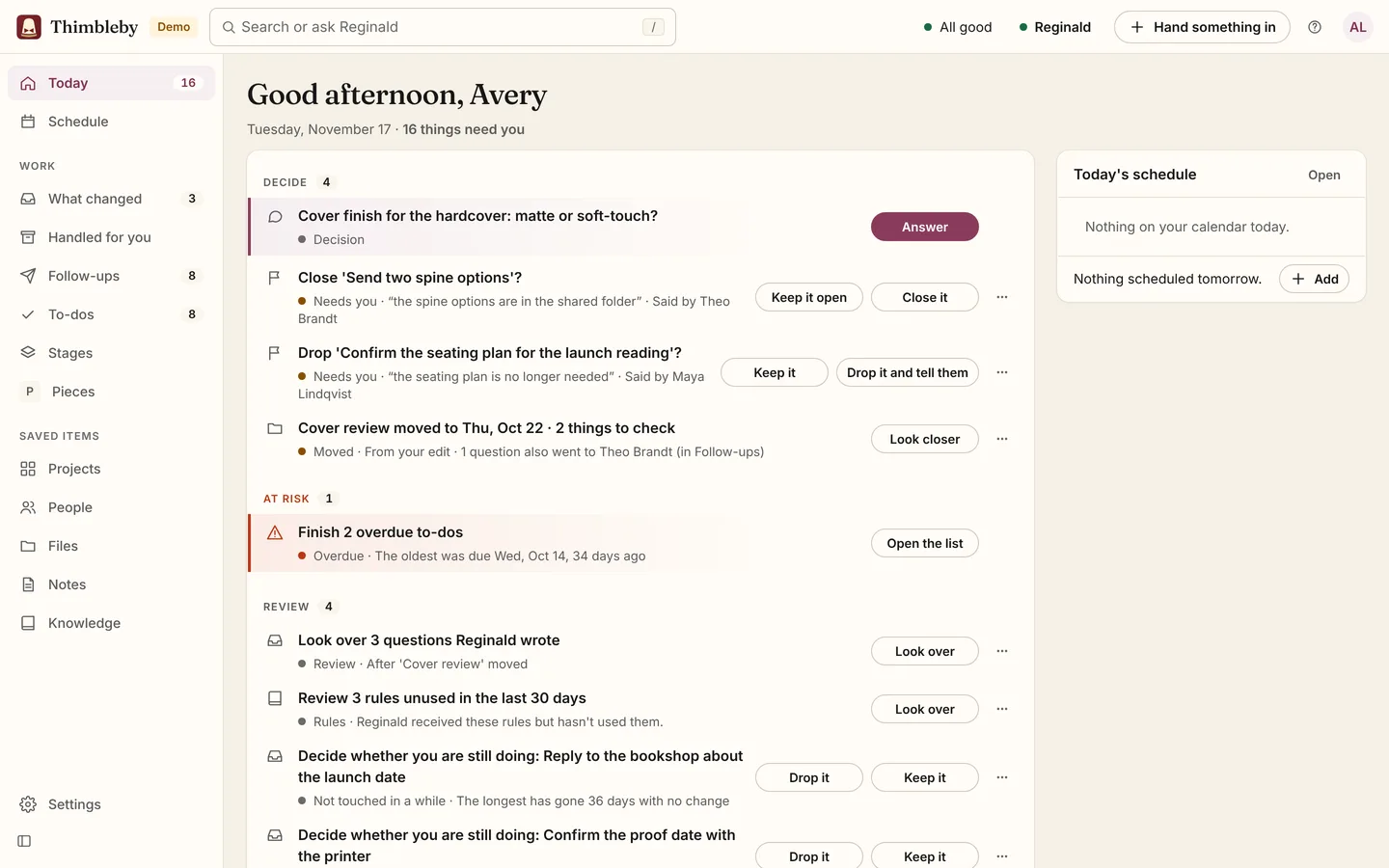
The work, brought together
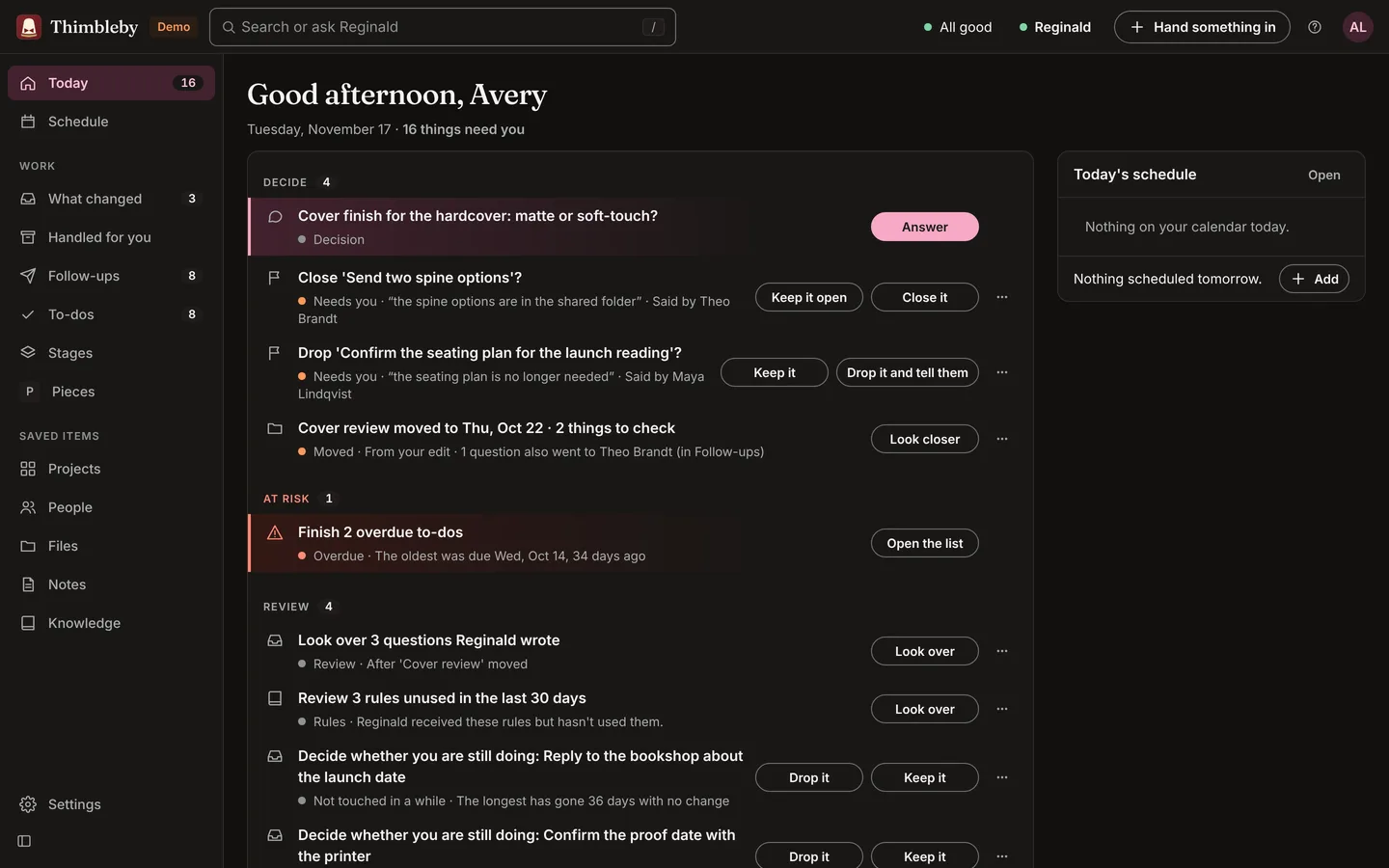
Your mail, your calendar and your promises are in different places. Thimbleby reads the first two and keeps track of the third, so you start the day knowing what is waiting.
Thimbleby reads the mail and calendars you connect and lists what is new or different: a meeting that moved, a message that needs an answer. Reading never changes anything in your mailbox.
Today lists only what you have to do, each line starting with the verb: answer, close, look over. Nothing else crowds it.
Reginald drafts the replies and next steps. Nothing is sent, posted or published until you approve those exact words.
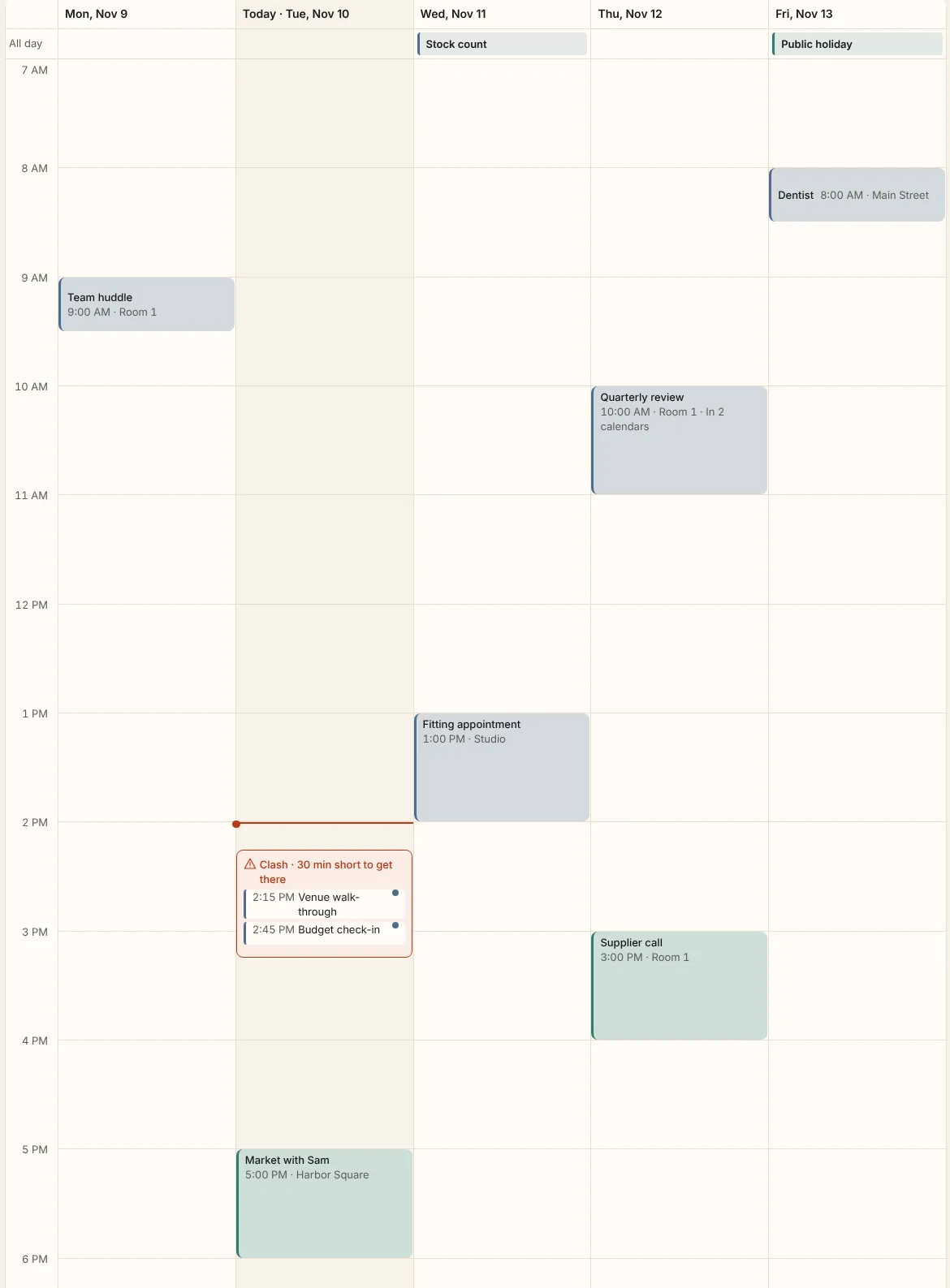
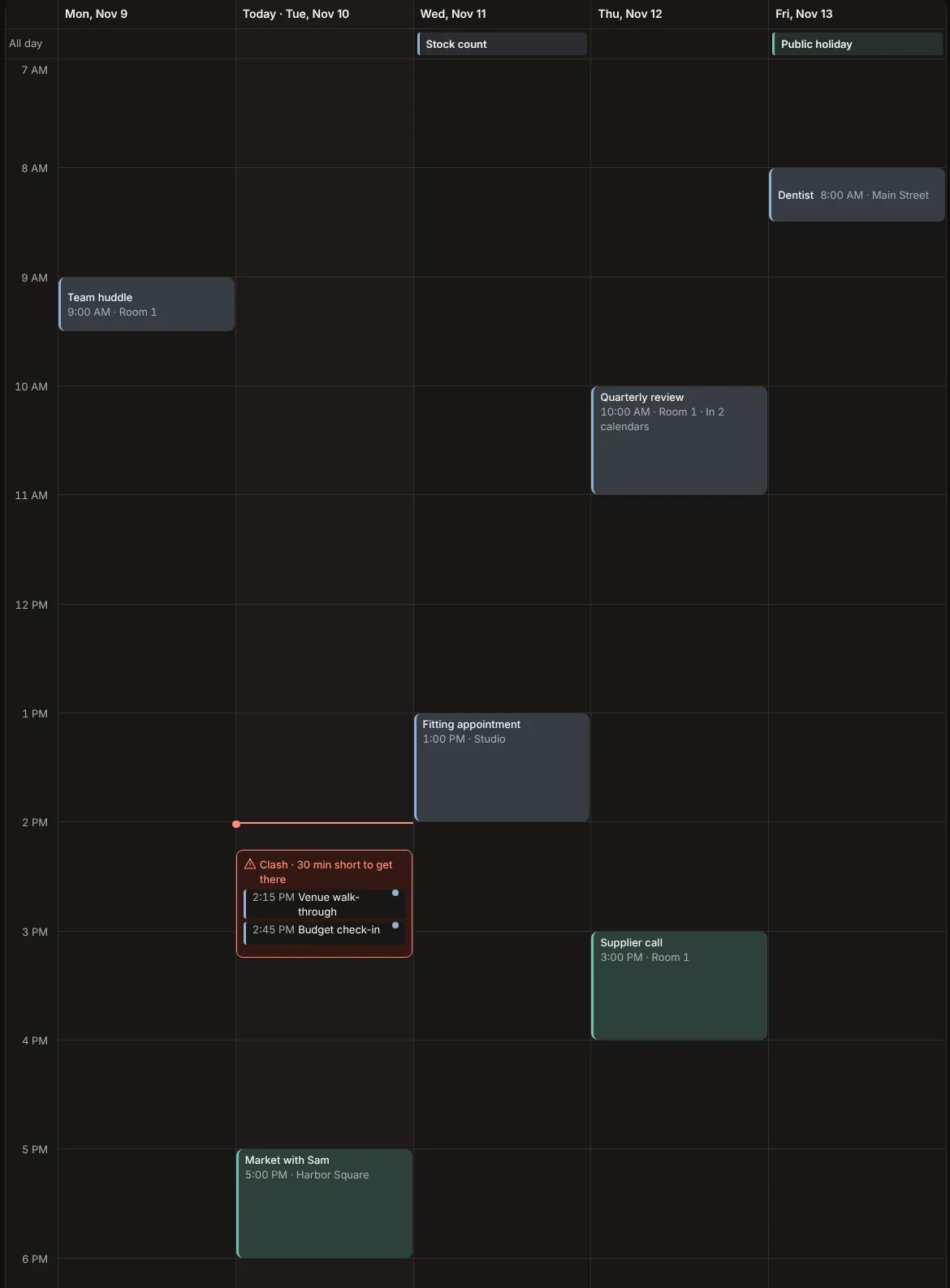
One week, all your calendars
The Schedule lays your calendars side by side, one color for each side of your work. When two meetings overlap, or you cannot get from one to the next in time, it marks the clash and says by how much.
Your assistant
A capable second pair of eyes. Not another boss.
Reginald is the assistant inside Thimbleby. Setup lets you give him any name you like.
He reads your mail and calendar, drafts replies and follow-ups, and waits for your yes. When you correct him, he proposes one thing to remember, and it counts only after you keep it.
Why we built it
Life is busier than it has ever been: work, family, side jobs, even hobbies. If you’re like me, there’s more on your plate than you can hold, and things slide. They don’t have to. The technology to take most of that weight off us exists now, and Thimbleby is how I’m putting it to work: one place where your mail, your calendar and your promises come together, so nothing slips past unnoticed. We’re starting an alpha, and I’d love people to try it and send back the bugs, the suggestions and the complaints. All three help.
Your control
What is kept, what leaves and what gets sent are spelled out, so you can check them.
Everything is kept in a database on your computer. Backups go to a folder you choose. There is no account with us.
Work goes only to the AI accounts you add, and each one gets only material at the privacy level you allowed for it. Each job’s cost is estimated first, and Thimbleby asks before spending above the amount you set.
Nothing is sent, posted or published until you approve the exact content.
No usage data and no account. The app reads two public lists from the maintainers, the add-on catalog and the list of releases, and you can turn each off in Settings. See exactly what leaves your computer.
Try the alpha
It’s free during the alpha, and what testers report shapes it. To try it you need:
The alpha installer is not signed yet, so your computer will warn that it comes from an unknown developer. I’ll walk you through it.